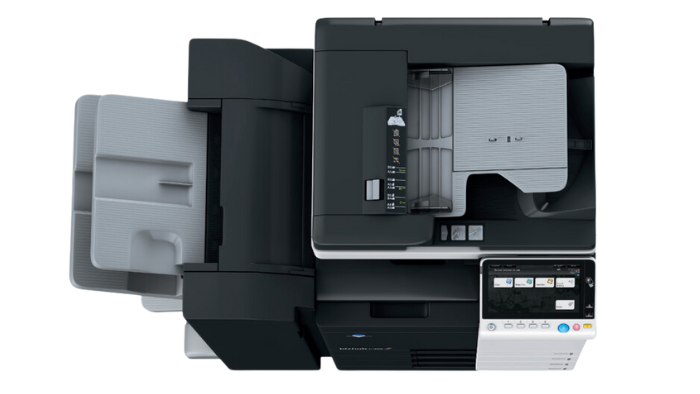
Copiers for schools take more daily abuse than almost any other piece of equipment on campus. Before first bell, teachers are printing class sets; by mid-morning the front office is cranking out enrollment packets and parent letters; in the afternoon, someone is rushing to run off quizzes with two minutes left before the bell. The machine never really gets a break.
That’s why school copiers can’t be the same light-duty devices you’d tuck into a small office. They have to handle:
- Hundreds of pages a day without slowing down
- Different paper types like cardstock, labels, and colored paper
- A constant stream of users who are in a hurry and don’t have time to decode error messages
This guide walks through what matters when you’re choosing a copier for a school: how it’s used in real life, which specs are worth paying attention to, and how to decide whether leasing, renting, or buying makes the most sense. By the end, you’ll be able to review a few solid Konica Minolta options and feel confident that the machine you choose can keep up with your staff and students.
Key Takeaways
–Copiers for schools work harder than office printers. They run class sets, enrollment packets, IEPs, and last-minute quizzes all day, so they must withstand heavy daily use without jamming.
–A few core specs determine if a copier is “school-ready.” Pick a machine with enough speed and monthly capacity to stay steady and reliable—even during busy weeks like testing and report cards.
–Paper handling and finishing save real staff time. Extra trays for different paper types, built-in stapling, sorting, and hole-punching keep teachers from hand-collating and stapling hundreds of packets.
–Schools can lease or rent to fit their needs. Most campuses lease main copiers and rent extra machines for short-term needs.

See How I Can Connect You with the Best Copier at an Affordable Price for Your Business
Increase Productivity - Replace a low-performing copier and help your business thrive.
Stay on Budget - Get affordable solutions for your printing and copying needs.
Lean on Our Experience—With over thirty years in the industry, we know which copiers work best for Arizona businesses and organizations.
Copiers for Schools in Phoenix, Arizona
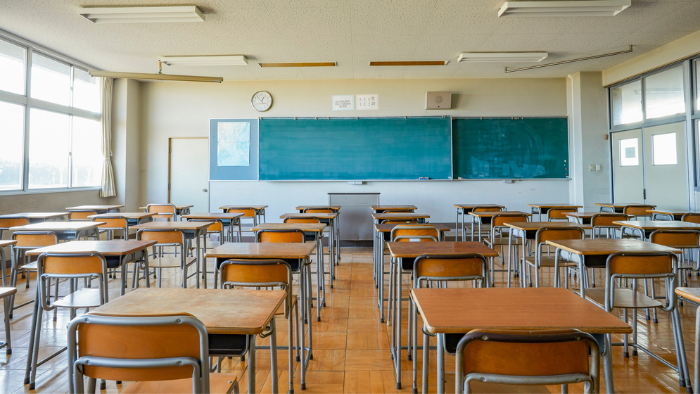
In a school, the copier isn’t background furniture. It’s part of the daily rhythm.
Teachers swing by before first bell to grab a class set. The front office prints enrollment packets. The counseling office runs off permission slips and forms. If you walk past the copier on a normal Tuesday, it’s probably already warm.
Because of that, copiers for schools have to do more than just make copies. They need to:
- Survive heavy, daily use without constant jams or error codes
- Handle long print runs like class sets, exams, and multi-page packets
- Switch between plain paper, cardstock, and labels
In real life, that might look like:
- A teacher printing 100 copies of a 12-page packet for tomorrow’s unit
- The office running 200 enrollment packets in one morning
- Special education staff printing IEP documents on heavier paper and labels for folders
If a machine can handle that kind of steady, real-world use and still make it easy for anyone to walk up and press “Start,” it’s a good sign the copier can keep up with your school day.
Our Happy Customers Speak for Themselves
The Specs That Actually Matter (And What Numbers to Look For)
Once you picture how your staff actually uses the copier, the spec sheet starts to make more sense. A few numbers tell you whether a machine is appropriate for a school.
Speed (pages per minute)
Print speed is usually listed as “ppm.”
- In a main office or busy workroom, anything in the low 20s ppm range will feel slow.
- A more comfortable range for school copiers is often 30–50 ppm or higher, especially for the main machine everyone relies on.
Monthly volume / duty cycle
Every copier has a recommended monthly page count. This is where many schools end up undersizing their machines.
If your staff prints 20,000 pages a month and the copier is only rated for 5,000, it will constantly feel overworked. Look for:
- A recommended monthly volume that’s comfortably higher than what you actually print.
- A copier that can handle more pages than you normally print, so it keeps up during report cards, testing, and other busy times.
When you talk with a dealer, bring an estimate of your monthly page count. A good company will recommend a copier for your school based on your needs.
Paper trays and finishing
Paper handling is a small detail, but it saves a lot of time. Extra paper trays mean:
- You can keep letter, legal, and maybe colored paper loaded all the time.
- Staff can move through jobs quickly because they don’t need to clear leftovers from the tray or swap paper between tasks.
Finishing options
Finishing features also make day-to-day tasks easier for your staff:
- Stapling and sorting mean someone isn’t standing there stapling 150 packets by hand.
- Hole-punching built into the copier saves another step for teachers using binders.
If you only remember one thing from this section, remember this: choose a copier for your schools that are sized for your real volume and busiest times, not the “average” day. When the machine fits your workload, everything else—from speed to paper handling—feels a lot more comfortable.
Essential Features in the Best Printer for Schools
The right jobsite printer does more than print. What follows are the features to consider for your copier.
High PPM for black-and-white copies
When a subcontractor meeting starts in five minutes and you still need twenty copies of a revised floor plan, slow printers cost you real time. Look for a machine that cranks out black-and-white pages fast.
Reliable scanning
A jobsite printer has to double as a scanner for signed contracts, redlined drawings, field sketches, and invoices.
Wireless and mobile print from laptops, tablets, and phones
Field teams create and view documents on tablets, phones, and laptops. A jobsite-ready printer should let them hit “print” without having to hunt for a cable.
Low jam rate
Paper jams are inevitable, so choose a device with a low jam rate and straightforward access to the paper path. Look for panels that open easily so anyone can remove a jammed sheet and resume printing quickly.
Lease vs. Rent — Which Is Better for a School Copier?
| Option | Best For | Key Benefits |
|---|---|---|
| Lease | Front office, library, main copy room (long-term use) | Predictable monthly payment; service and maintenance usually included; one point of contact for repairs |
| Rent | Short-term or overflow needs | Flexible; add machines for testing season, temporary campuses, summer programs, or construction |
| Buy | Schools with funds available now | No monthly payment once purchased |
Call Jon at 480-999-5905 to discuss the pros and cons of leasing vs. buying a copier for your school.
Best Konica Minolta Printers for Schools
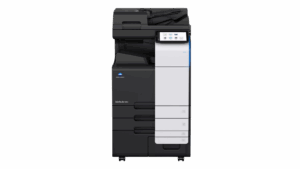
- Best for teacher work rooms
- Compact with strong performance
- Works well with limited space
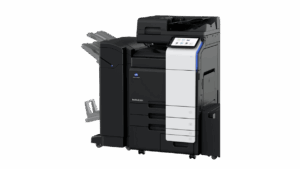
- Best for small schools, charter schools
- Affordable and powerful
- Best value
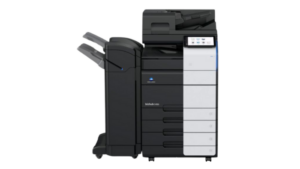
- Best for admin offices
- Fast printing, big capacity
- Best overall
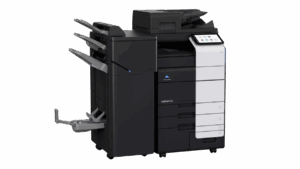
- High volume districts
- Handles nonstop daily printing
- Best for K12 campuses
Each of these Konica Minolta models can be tailored to your construction jobsite’s size, workload, and budget. Choose the one that fits your team best, then get a quote for your copier purchase or lease.
Copier FAQs for Construction Jobsites
How do we know what size copier our school really needs?
Is it better for schools to lease a copier or buy one outright?
Most schools lease because the monthly payment often includes service and maintenance. Buying can work if you have capital funds now and are prepared to handle repairs and replacement. Learn more about copier leases here.
What’s the benefit of renting a copier for a school instead of leasing?
Renting is ideal for short-term or overflow needs, such as testing season or temporary campuses. You add machines when you need them and return them when you’re done. Learn more about copier rentals here.
Are used or refurbished copiers a good idea for schools?
Do we really need a color copier, or is black-and-white enough?
How many copiers should a typical K–12 campus have?
Ready to Get Your Copier?
Find the Right Copier for Your School


About the Author
Jon Walden, Owner of Affordable Used Copiers, has been helping Phoenix businesses find reliable copier and printer solutions for over 20 years. His team specializes in secure, budget-friendly copier leases tailored to industries like education, construction, and real estate.