The best copiers for construction jobsites are not the same as the ones you would use in an office. They have to survive dust, noise, and constant use in a cramped trailer.
Most copiers are built for quiet, carpeted spaces where they sit in the corner and nobody bothers them. In a jobsite, the door stays open, people in steel-toed boots squeeze past each other, and the printer ends up sharing space with coffee cups, rolled-up plans, and a fine layer of concrete dust.
So you don’t just need a printer. You need a workhorse that can live in that chaos, take a few bumps, and still print clear plans.
In this guide, we’ll look at what makes a printer truly “jobsite-ready,” which features actually help field teams, and how rentals, leases, service, and moving a device from job to job really work, so you can choose a machine that keeps work moving instead of slowing it down.
Key Takeaways
–Look for jobsite-ready features: fast black-and-white printing, reliable scanning, wireless/mobile print, low jam rate, and easy jam clearance.
–Leases usually make sense for longer or ongoing projects, while rentals work better for short-term job sites with a clear end date.
–Delivery, setup, and fast technician response keep your crews printing plans, schedules, RFIs, and change orders without losing time on equipment issues.

See How I Can Connect You with the Best Copier at an Affordable Price for Your Business
Increase Productivity - Replace a low-performing copier and help your business thrive.
Stay on Budget - Get affordable solutions for your printing and copying needs.
Lean on Our Experience—With over thirty years in the industry, we know which copiers work best for Arizona businesses and organizations.
Copiers for a Construction Jobsites in Phoenix, Arizona
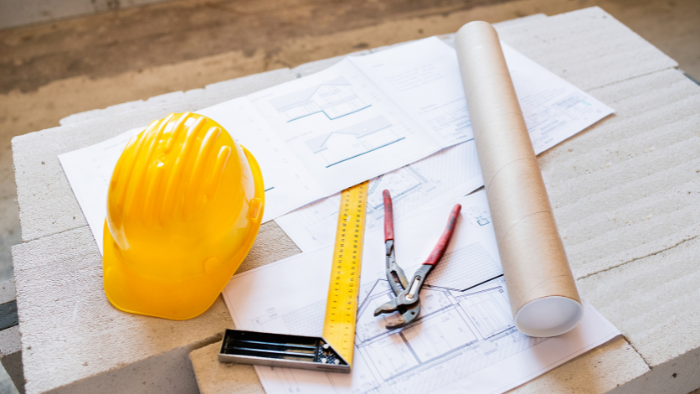
A printer that lives in a construction trailer has a rougher life than anything in an office. It sits next to the coffee pot and the hard hats. People brush past it with muddy boots. Somebody always sets a tape measure on top of it and forgets it’s there.
On a typical day, supers and PMs are printing:
- Full-size drawings and markups
- Updated schedules and punch lists
- RFIs and submittals that have to get out the door
And it’s not just one tech-savvy person using it. You’ve got project managers, field engineers, subs, and sometimes the owner’s rep, all taking turns at the same machine with different comfort levels around technology.
A construction jobsite printer can handle:
- Harsh environments
- Heavy daily use
- On-demand clarity
- Multiple users
Our Happy Customers Speak for Themselves
Dust, Heat and Heavy Use on Construction Sites
Construction trailers are not climate-controlled areas. Dust and grit from the jobsite often drift in and settle on everything, including your printer.
That environment creates three problems:
- Dust and debris work their way into paper paths and moving parts. Cheap office printers start misfeeding, jamming, or leaving streaks on copies.
- Heat and temperature shifts stress the hardware. Plastic parts warp. Low-end machines throw cryptic error codes right when you need that revised floor plan.
- Constant use wears out weak components quickly. A small desktop printer that works well in a home office will struggle to keep up with the demands of a jobsite.
Simple Controls for Busy Field Teams
On a jobsite, the best printers let people walk up, hit print, and head back outside with the schedule, detail, or RFI in hand.
That means the right printer should feel obvious to use, even for the least tech-comfortable person on the project. A good printer will include:
- Big, clear buttons and labels instead of tiny icons buried in menus
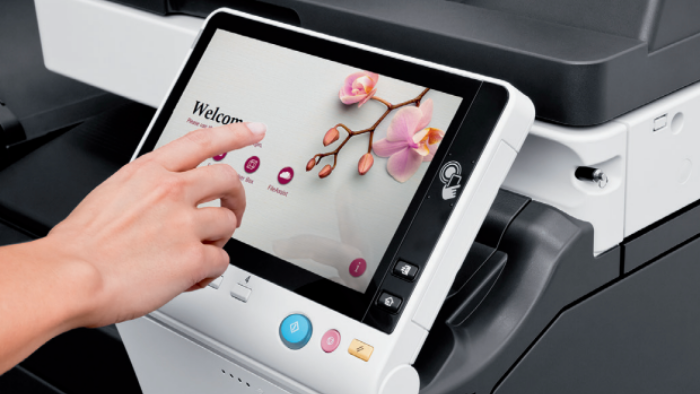
- A simple touchscreen with just a handful of options
- Preset shortcuts for common tasks
When controls are simple, anyone on the crew can walk up, scan, copy, or print. They back to work quickly without interrupting the workflow. A good jobsite printer acts like any other reliable tool; it works when you need it and helps your crew keep the project moving.
Essential Features in the Best Printer for Construction Jobsites
The right jobsite printer does more than print. What follows are the features to consider for your copier.
High PPM for black-and-white copies
When a subcontractor meeting starts in five minutes and you still need twenty copies of a revised floor plan, slow printers cost you real time. Look for a machine that cranks out black-and-white pages fast.
Reliable scanning
A jobsite printer has to double as a scanner for signed contracts, redlined drawings, field sketches, and invoices.
Wireless and mobile print from laptops, tablets, and phones
Field teams create and view documents on tablets, phones, and laptops. A jobsite-ready printer should let them hit “print” without having to hunt for a cable.
Low jam rate
Paper jams are inevitable, so choose a device with a low jam rate and straightforward access to the paper path. Look for panels that open easily so anyone can remove a jammed sheet and resume printing quickly.
Lease vs. Rent — Which Is Better for a Construction Jobsite Printer?
| Lease | Rent |
|---|---|
| Lower upfront cost than buying, with a longer-term agreement | Low upfront cost with short-term, flexible agreements |
| Service & repairs included in the lease | Service often included, but may be billed at higher “emergency” or short-term rates |
| Easy to upgrade between projects without replacing equipment every year | Easy to swap or return quickly as projects start and finish |
| Great for multi-month or multi-year jobsites that need stability | Best for short-term jobsites |
Call Jon at 480-999-5905 to discuss the pros and cons of leasing vs. buying a copier for your construction jobsite.
Best Konica Minolta Printers for Construction Jobsites
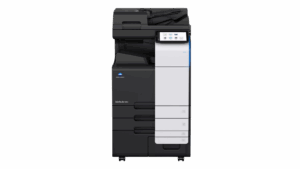
BizHub C300i – A compact, reliable multifunction printer that fits easily in small jobsite trailers and tight spaces.
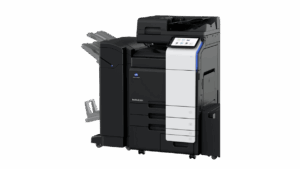
BizHub C360i – A fast black-and-white workhorse with a low jam rate, ideal for general construction site offices.
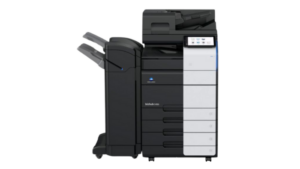
BizHub C450i – A strong choice for larger projects and GC offices, with plenty of speed for plan printing and scanning in busy job trailers.
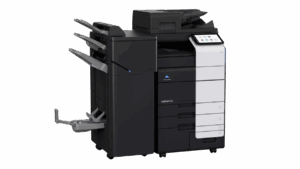
BizHub C550i – A high-capacity machine built for high-volume industrial builds, designed to run all day for large construction firms.
Each of these Konica Minolta models can be tailored to your construction jobsite’s size, workload, and budget. Choose the one that fits your team best, then get a quote for your copier purchase or lease.
Copier FAQs for Construction Jobsites
Do you offer short-term rentals for construction jobsites?
Yes, we offer short-term printer rentals for jobsites, which is ideal for projects with a clear end date. See our copier rentals page for pricing and details.
What’s the advantage of a lease instead of a rental?
A lease is usually better for longer projects or ongoing work because you get lower monthly rates and full service coverage. See our copier leases page for how it works and what’s included.
What is the best printer for a construction jobsite with a small trailer?
Can these printers handle printing construction plans and drawings?
Do you deliver and install at jobsite trailers?
How fast can a technician come if something breaks?
Can we move the printer from one jobsite to the next under the same lease?
Ready to Get Your Copier?
Find the Right Copier for Your Construction Jobsite

Call Jon at Affordable Used Copiers today to find the right copier for your construction jobsite and request a quote for delivery and installation.

About the Author
Jon Walden, Owner of Affordable Used Copiers, has been helping Phoenix businesses find reliable copier and printer solutions for over 20 years. His team specializes in secure, budget-friendly copier leases tailored to industries like law, construction, and real estate.